Are you ready to dominate the search engine results pages (SERPs) in 2025? This isn’t just another SEO audit checklist; it’s a battle plan.
We’re going to dissect your website, identify weaknesses, and forge a strategy to conquer your competition. This is the same process that’s helped us achieve massive organic growth for all of our clients.
Why is this SEO audit different?
Action-Oriented: We don’t just point out problems; we provide solutions.
Future-Proof: This checklist is designed for 2025 and beyond, incorporating the latest SEO trends and algorithm updates.
Comprehensive: We cover every critical aspect of SEO, from technical foundations to content optimization and authority building.
Ready to transform your website into an organic traffic magnet?
Let’s dive in.
Step 1: Establish Your Organic Traffic Baseline
Before we embark on this SEO journey, we need to understand our starting point. How much organic traffic are you currently pulling in?
This is our benchmark, our line in the sand.
Here's how to do it:
Google Analytics is your command center. Go to “Reports” > “Acquisition” > “Traffic acquisition.”

Zero in on “Organic Search.” This is the lifeblood of your SEO efforts
Expand the timeframe. Don’t just look at the last week. Analyze your performance over a longer period (e.g., the past 3-6 months, or even a year) to get a clearer picture.

But that’s not all. We also need to identify your current top-performing pages and those that need some serious love.
Use Google Search Console to uncover:
1. Go to the “Performance” report.

2. Navigate to the “Pages” tab.

Here you’ll see which pages are driving clicks and which are lagging. This intel is crucial for prioritizing our efforts
Why is this important?
Benchmarking: We need to know where we stand before we can measure progress.
Prioritization: We’ll focus on improving pages with high potential first.
Want to unlock the full potential of your organic traffic?
Step 2: Unleash the Crawler - Conduct a Full Site Crawl
Think of a site crawl as a comprehensive health checkup for your website. It’s the most efficient way to gather a massive amount of data about every single page, uncovering hidden issues that could be sabotaging your rankings.
What will we uncover?
Crawlability: Can search engines easily access and index your pages?
Loading Speed: Are slow pages driving visitors away?
Internal Linking: Is your site architecture optimized for SEO and user experience?
Structured Data: Are you using schema markup to help search engines understand your content?
On-Page SEO: Are your title tags, meta descriptions, and content optimized for your target keywords?
Tools of the Trade:
Screaming Frog: A powerful desktop crawler that provides in-depth insights. (Free for up to 500 URLs)
Semrush Site Audit: A comprehensive SEO suite with a robust site audit tool. It analyzes over 140 factors, from performance issues to internal linking and international SEO. (Free for up to 100 URLs, or get a 14-day trial with this link: [insert your affiliate link here if you have one])
How to run a crawl with Semrush:

Enter your domain name and click “Start Audit.”
Configure your crawler settings (crawl limits, user agents, schedule).
Analyze the “Overview” tab for a snapshot of your site’s health.
Dive deep into errors, warnings, and notices. Semrush provides clear explanations and solutions for each issue.
Action Plan:

Fix every issue flagged by your crawler. This is the foundation of a strong SEO strategy.
Step 3: Supercharge Your On-Page SEO
On-page SEO is where the magic happens. It’s the art and science of optimizing individual pages to rank higher and earn more relevant traffic.
But you don’t have time to optimize every single page right away, and you don’t really have to.
Here's a strategic approach:
1. Identify your top 5 priority pages. These might be pages that:
Target high-value keywords.
Have seen a decline in traffic.
Are already ranking well but have the potential to reach the top 3.
2. Focus on these 5 key strategies for those pages:
Keyword in Title Tag: Make sure your target keyword is prominently featured in your title tag.
Keyword in First 100 Words: Include your keyword naturally within the first 100 words of your content.
5+ External Links: Link out to authoritative and relevant resources.
5+ Internal Links: Build a strong internal linking structure (more on this in the next step).
SEO-Optimized Images: Use descriptive file names, alt text, and optimize image size for fast loading.
Example:
Let’s say you have a blog post about “best SEO tools.” You’ve done the basics, but it’s stuck on page one, just outside the top 5. This is a prime candidate for on-page optimization.
Why is this crucial?
Targeted Optimization: By focusing on high-priority pages, you maximize your impact.
Quick Wins: On-page improvements can often lead to rapid ranking improvements.
Ready to dominate the SERPs?
Our on-page SEO services will get you there.
Step 4: Master the Art of Internal Linking
Internal linking is the secret weapon of SEO. It’s often overlooked, but it’s incredibly powerful. We’re not just talking about throwing in a few links here and there. We’re talking about building a strategic network that guides users and search engines through your website.

The Golden Rule:
Link to high-priority pages as much as possible, relevantly. Every page should have at least one relevant internal link pointing to it.
Key benefits:
Avoid Orphaned Pages: Ensure no content is left stranded without any internal links, making them hard to find.
Boost Page Authority: Distribute link equity throughout your site, strengthening your most important pages.
Improve User Experience: Guide visitors to related content, keeping them engaged and on your site longer.
Reduce Crawl Depth: Make it easy for users and search engines to reach any page on your site within 3 clicks or less.
How to do it right:
Relevance is Key: Only link to pages that are genuinely related to the current topic.
Use Descriptive Anchor Text: Don’t just use “click here.” Use anchor text that clearly indicates the linked page’s content.
Don’t Be Shy: If there are multiple relevant pages to link to, do it! 5+ is a good minimum to aim for, but don’t hesitate to link more where valuable.
Use Semrush Site Audit: This tool can identify pages with high click depth, helping you optimize your internal linking structure.
Example:
In a blog post about “SEO content writing,” you might link to other posts on keyword research, on-page optimization, and link building.
Let’s create a strategic architecture for your website.
Step 5: Optimize for User Experience (UX) Signals - The Secret Ranking Factor
Google has confirmed, in the 2023 U.S. vs. Google Antitrust Trial, that they use click data to train their ranking algorithms. This means that user experience (UX) signals are a crucial factor in determining your rankings. This means optimizing for user satisfaction is not just about making visitors happy; it’s about ranking higher.

What are UX signals?
Click-Through Rate (CTR): Are users clicking on your result in the SERPs?
Dwell Time: Are users staying on your page, or are they bouncing back to the search results?
Bounce Rate: The percentage of visitors who leave your site after viewing only one page.
Pogo-Sticking: When a user clicks on a result, quickly returns to the SERPs, and clicks on another result.
How to optimize for UX signals:
Create Compelling Content: Provide real value that satisfies the user’s search intent.
Improve Page Speed: Slow pages frustrate users and lead to higher bounce rates.
Mobile-Friendliness: Ensure your site is optimized for mobile devices.
Clear Navigation: Make it easy for users to find what they’re looking for.
Engaging Design: Use visuals, videos, and interactive elements to keep users hooked.
Update Outdated Content: Regularly refresh old content to keep it relevant and accurate.
Example:
One of your pages is ranking on page two for “SEO campaign.” You notice it has a high bounce rate and low dwell time. Upon reviewing the content, you realize it’s outdated and doesn’t fully address the user’s needs. You revamp the content, add new examples, update screenshots, and make it more actionable. As a result, user engagement improves, and your rankings start to climb.
Step 6: Conquer Featured Snippets
Featured snippets are the holy grail of SERPs. They’re the prominent boxes that appear at the top of the search results, providing a concise answer to the user’s query. Landing a featured snippet can dramatically increase your organic traffic.

How to win the featured snippet game:
Target Question-Based Keywords: Identify questions your target audience is asking.
Provide Clear and Concise Answers: Structure your content to provide direct answers to those questions, ideally within 40 words.
Use Header Tags (H2, H3): Organize your content with clear and relevant subheadings.
Format for Snippets: Use lists, tables, and short paragraphs to make your content snippet-friendly.
Optimize for Mobile: Ensure your content is easily readable on mobile devices.
Bonus Tip: Don’t ignore AI overviews, which may replace or appear alongside featured snippets for many searches.
There are no definitive ways to optimize your content for AI overviews yet.
Follow general SEO best practices: ensuring Google can crawl and index your content, targeting the right keywords, creating helpful, optimized content.
Example:
You want to rank for “how to write a YouTube channel description.” You create a step-by-step guide with a concise answer to the question within the first paragraph. You use header tags to break down each step and format the content for easy readability. As a result, you land the featured snippet and see a significant boost in traffic.
Want to dominate the featured snippets? Our content strategists can help.
Step 7: Check Page Rendering - See What Google Sees
Rendering is how Google “sees” and understands your page content. It’s the process of executing the JavaScript on your page to display it as a user would see it. If there are rendering issues, Google might not be able to properly index your content, hurting your rankings.
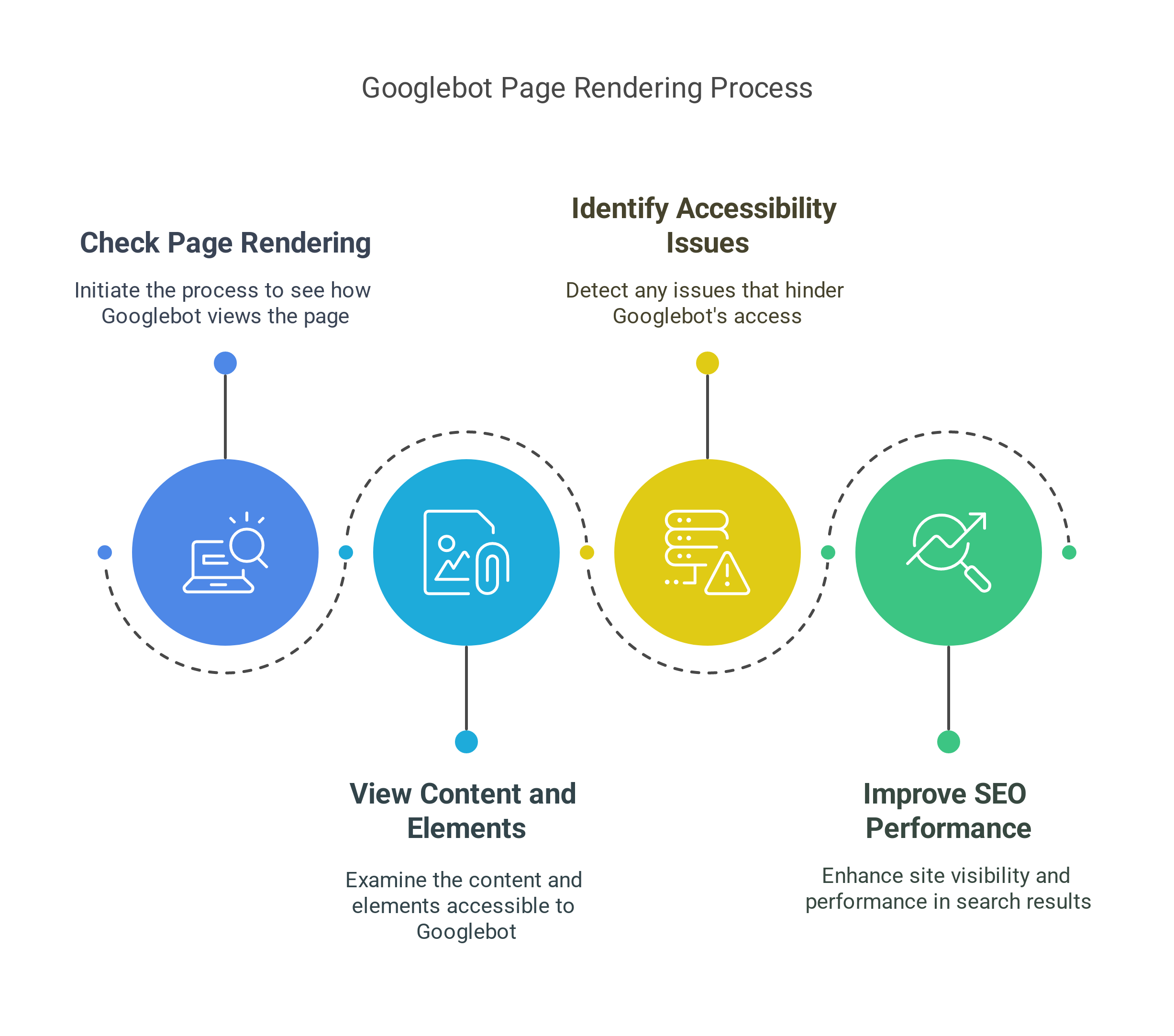
How to check rendering:
Use Google Search Console’s URL Inspection Tool:
Enter a URL from your site.
Click “View Tested Page.”
Examine the screenshot to see how Google renders your page.
Look for Discrepancies: Compare the rendered version to how your page should appear. Are there any missing elements or layout issues?
Troubleshooting:
JavaScript Issues: If you’re using a lot of JavaScript, make sure it’s properly implemented and doesn’t block Googlebot from accessing your content.
Semrush Site Audit: This tool can quickly highlight any JavaScript issues on your site.
Why is this important?
Accurate Indexing: Ensure Google can fully understand and index your content.
User Experience: Rendering issues can also affect how users see your pages, leading to a poor user experience.
Step 8: Master Mobile-Friendliness
Mobile-first indexing is here to stay. Google now uses the mobile version of your site for indexing and ranking, even for desktop searches. With over 55% of global traffic coming from mobile devices, having a mobile-friendly website is no longer optional; it’s essential.

How to check mobile-friendliness:
Google discontinued its quick mobile-friendliness test in 2023.
PageSpeed Insights: While primarily a speed test, it also provides insights into mobile usability issues.
Key elements of mobile-friendliness:
Responsive Design: Your website should automatically adjust to fit any screen size.
Mobile-Friendly Content: Use short paragraphs, clear headings, and concise language for easy readability on smaller screens.
Easy Navigation: Ensure menus and buttons are easy to tap on a touchscreen.
Fast Loading Speed: Optimize images and minimize code to ensure fast loading times on mobile devices.
High-Quality Images: Use images that look crisp and clear on mobile, avoiding text-heavy images that can be hard to read.
Action Plan:
If you’re using WordPress, choose a responsive theme.
Test your site on various mobile devices to ensure a seamless user experience.
Is your website mobile-ready?
Step 9: Ensure Proper Indexing - Avoid the Indexing Black Hole
Did you know that Google might be indexing multiple versions of your website without you even realizing it?
This can dilute your SEO efforts and confuse search engines.

The 4 versions to check:
http://yoursite.com
https://yoursite.com
http://www.yoursite.com
https://www.yoursite.com
The Solution: 301 Redirects
All these versions should redirect to your preferred version (usually the HTTPS version with or without WWW, depending on your preference).
How to check:
Type each version into your browser. They should all land on the same final URL.
How to fix it:
Implement 301 redirects from the non-preferred versions to your chosen version. You can do this through your web server’s configuration files (e.g., .htaccess for Apache) or using a plugin if you’re using a CMS like WordPress.
Why is this important?
Consolidate Link Equity: Ensure all backlinks point to a single version of your site, maximizing your domain authority.
Avoid Duplicate Content: Prevent Google from seeing multiple versions of your site as duplicate content.
Step 10: Turbocharge Your Site Speed - Core Web Vitals Domination
Page speed is a confirmed ranking factor, and it’s only becoming more important. In 2024, Google introduced the INP (Interaction to Next Paint) Core Web Vital, which measures how quickly your site responds to user interactions.
Slow loading times frustrate users and hurt your rankings.

How to optimize for speed:
1. Clean Up Your Code:
Use PageSpeed Insights to identify code-related issues that are slowing down your site.
Minify HTML, CSS, and JavaScript files.
Check your Core Web Vitals performance. Optimize for:
Largest Contentful Paint (LCP): How quickly the main content loads.
Interaction to Next Paint (INP): How quickly your site responds to interactions.
Cumulative Layout Shift (CLS): How stable the layout is as the page loads.
2. Optimize Images:
Compress images using tools like Kraken or Squoosh.
Use appropriate image formats (e.g., WebP).
Use lazy loading to defer the loading of off-screen images.
3. Upgrade Your Hosting:
Consider upgrading to a faster hosting plan or a dedicated server if your current hosting is inadequate. This might not always be necessary or a feasible option to begin with – so focus on implementing other page speed best practices first.
Pro Tip: Don’t just optimize your homepage. Test popular pages like blog posts, product pages, and category pages using PageSpeed Insights.
Is your site speed hurting your rankings?
Step 11: Eliminate Zombie Pages - The Silent Ranking Killers
Zombie pages are pages on your site that provide little to no value. They don’t drive traffic, they don’t engage users, and they can actually hurt your SEO by consuming your crawl budget and diluting your site’s authority.

How to identify zombie pages:
1. Use the “site:” operator in Google:
Type site: yourwebsite.com into Google to see how many pages are indexed.
If the number is significantly higher than you expect, you likely have zombie pages.
2. Analyze your analytics:
Look for pages with very low traffic, high bounce rates, and low engagement.
Common types of zombie pages:
Outdated blog posts with no traffic
Old press releases
Empty category or tag pages
Archive pages
Thin content pages (pages with very little content)
Action Plan:
1. Deindex or Delete:
Remove pages that provide no value to users or search engines.
Use the no-index tag or the robots.txt file to prevent these pages from being indexed.
2. Improve and Update:
If a page has potential, consider updating and improving it to make it valuable.
Why is this important?
Crawl Budget Optimization: Ensure Googlebot is crawling your most important pages, not wasting time on useless ones.
Improved Site Authority: Focus your site’s authority on pages that matter.
Streamlined SEO Audit: Fewer pages to analyze means a more efficient audit process.
Step 12: Fix Indexing Problems - Get Your Pages in the Game
Not all pages are created equal. Some pages might not be indexed by Google, meaning they won’t show up in search results. We need to find these unindexed pages and get them into the game.

How to find indexing problems:
1. Google Search Console is your best friend:
Go to the “Pages” report under “Indexing.”
This report shows you which pages are not indexed and why.
Common indexing issues:
Blocked by robots.txt: You might have accidentally blocked a page in your robots.txt file.
Noindex Tag: A noindex tag tells search engines not to index a page.
Canonical Issues: You might have duplicate content issues that are confusing Google.
404 Errors: Pages that no longer exist should return 404 error. But to avoid sending your readers to a broken page, follow the next step.
Action Plan:
Review the “Pages” report regularly.
Fix any errors that are preventing pages from being indexed.
Submit your sitemap to Google Search Console.
Note: Not everything you see in this report is an issue to fix. You might want to block some pages with robots.txt.
Are indexing issues hurting your visibility?
Step 13: Repair Broken Links - Don't Let Users Hit a Dead End
Broken links (links that point to pages that no longer exist) are bad for user experience and can harm your SEO. They frustrate users and send negative signals to search engines.

How to find broken links:
Free Tools: Use a tool like Broken Link Check.
Crawling Software: Screaming Frog and Semrush Site Audit can identify broken links during a site crawl.
Semrush Site Audit: As well as highlighting broken external links, it can also show you any internal broken links.
Action Plan:
1. Fix or Remove:
Update broken links with the correct URLs.
Remove links that are no longer relevant or necessary.
2. Implement 301 Redirects:
If a page has been moved, set up a 301 redirect to the new location.
Why is this important?
User Experience: Prevent users from encountering frustrating 404 errors.
SEO: Broken links can negatively impact your site’s authority and crawlability.
Step 14: Conduct a Backlink Audit - Know Your Link Profile
Backlinks are still a major ranking factor. They’re like votes of confidence from other websites, telling search engines that your site is trustworthy and authoritative. But not all backlinks are created equal.

How to analyze your backlink profile:
1. Use a Backlink Analysis Tool:
Semrush (Backlink Analytics tool), Ahrefs, Moz are all great options.
2. Key Metrics to Analyze:
Number of Referring Domains: How many different websites are linking to you?
Authority Score (or Domain Authority): A measure of your site’s overall authority based on the quality and quantity of your backlinks.
Anchor Text Distribution: What anchor text are other sites using when linking to you?
Toxic Links: Identify potentially harmful links from spammy or low-quality websites.
Action Plan:
Monitor your backlink profile regularly.
Identify and disavow toxic links (if necessary). Use the Google Search Console’s disavow tool with caution. (You usually won’t need to use this tool, unless you have received a manual action). Use Semrush’s Backlink Audit tool to identify potentially harmful backlinks.
Focus on earning high-quality backlinks from authoritative websites.
Pro Tip: A few spammy links are normal. Google is quite good at filtering these. Don’t stress over a few suspicious links unless you see a pattern of toxic backlink activity.
Want to build a powerful backlink profile?
Step 15: Spy on Your Competitors - Learn from the Best
Competitor analysis is a crucial part of any SEO strategy. By understanding what your competitors are doing well, you can identify opportunities to improve your own site and gain a competitive edge.

How to spy on your competitors:
1. Identify Your Competitors’ Best Keywords:
Use a tool like Semrush to see which keywords your competitors are ranking for.
2. Analyze Their Top-Performing Pages:
See which pages are driving the most traffic for your competitors.
Identify common characteristics of these pages (e.g., content length, format, use of visuals).
3. Analyze Their Backlink Profiles:
Use Semrush’s Backlink Analytics tool (or a similar tool) to see which sites are linking to your competitors.
This can help you identify potential link building opportunities.
Action Plan:
Create content that targets your competitors’ best keywords.
Emulate the successful strategies of your competitors’ top-performing pages.
Identify and target websites that are linking to your competitors.
Example: If your competitors’ highest-ranking pages are long-form (3k+ words), contain custom visuals, cite research studies, and are not super technical, this is a good indication of what works well in your niche.
Step 16: Craft 10x Content - Create Content That Blows the Competition Away
To rank in 2025, your content needs to be exceptional. It needs to be 10x better than anything else out there. This means creating content that is comprehensive, engaging, and provides real value to the reader.

How to create 10x content:
1. Short and Sweet Intros:
Get straight to the point. Avoid long, rambling introductions.
2. Short Paragraphs:
Break up your content into easily digestible chunks.
3. Strategic Subheaders:
Use H2s, H3s, etc. to organize your content and make it easy to skim.
4. Visuals, Images, and Videos:
Use multimedia to enhance your content and make it more engaging.
5. Data and Research:
Back up your claims with data, research, and statistics.
6. Expert Insights:
Include quotes or insights from industry experts.
7. Actionable Advice:
Provide practical tips and advice that readers can implement.
Example:
In your SEO strategy guide, you use lots of images, visuals, and videos. You include data and research to back up your claims. You provide actionable advice that readers can implement. You make it easy to read and understand. Because of this, your average user spends 04:43 on that page.
Ready to create content that dominates the SERPs?
Step 17: Audit Your Structured Data - Speak Google's Language
Structured data (also known as schema markup) is a way of labeling your content so that search engines can understand it better. It’s like speaking Google’s secret language. Implementing structured data can help you earn rich snippets, which can significantly improve your visibility in the SERPs.
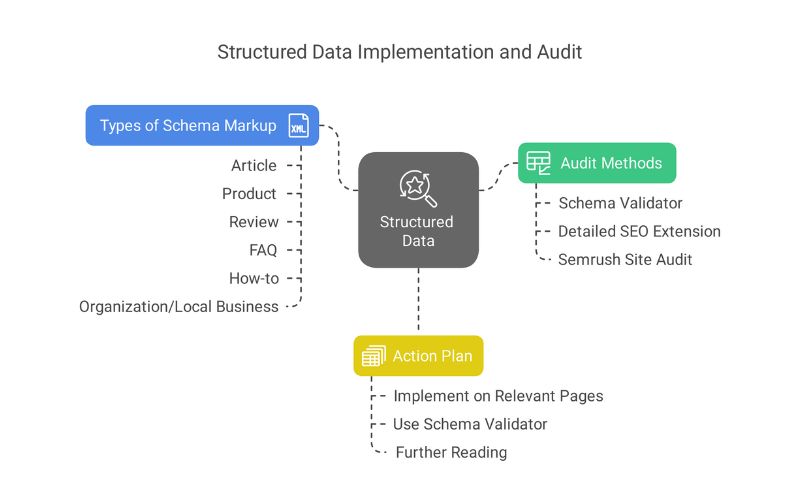
How to audit your structured data:
Schema Validator: Use a tool like the Schema Validator to check if your structured data is implemented correctly.
Detailed SEO extension: Use this to quickly check any page’s schema.
Semrush Site Audit: Check your Site Audit report in Semrush.
Common types of schema markup:
Article: For blog posts and articles.
Product: For product pages.
Review: For reviews.
FAQ: For frequently asked questions.
How-to: For step-by-step guides.
Organization/Local Business
Action Plan:
Implement structured data on all relevant pages.
Use the Schema Validator to ensure your markup is error-free.
Further reading: If you haven’t added any structured data to your site yet, check out a comprehensive guide to schema markup.
Step 18: Set Up Keyword Rank Tracking - Monitor Your Progress
An SEO audit is just the beginning. To see if your efforts are paying off, you need to track your keyword rankings over time.

How to set up rank tracking:
Use a Rank Tracking Tool
Semrush’s Position Tracking tool is a great option. It not only tracks the keywords you give it, but it automatically finds keywords that you rank for.
Action Plan:
Choose the keywords you want to track.
Monitor your rankings regularly.
Identify any significant changes in rankings (positive or negative).
Adjust your SEO strategy based on your ranking performance.
Pro Tip: Use a free keyword rank checker to see where you rank for top keywords.
Want to track your keyword rankings like a pro?
Bonus Step #1: Analyze Your Site's Topical Authority - Become the Go-To Source

Topical authority is about establishing your website as a trusted expert on a particular topic. It’s about demonstrating to both users and search engines that you have in-depth knowledge and expertise in your niche.
How to analyze your topical authority:
Use a Topical Authority Analysis spreadsheet: There is a handy spreadsheet, created in collaboration with Graphite, that automatically pulls information from your Google Search Console property. It provides you with a breakdown of keywords and phrases your website ranks for and gets clicks for, helping you understand where your topical authority lies.
Action Plan:
Identify your core topics.
Create comprehensive content that covers all aspects of those topics.
Build internal links between related pages.
Earn backlinks from other authoritative websites in your niche.
Bonus Step #2: Think About Information Gain - Add Unique Value

Information gain is about providing unique value beyond what already exists in the search results. It’s about going above and beyond to deliver fresh insights, perspectives, or data that users can’t find anywhere else.
How to add information gain:
Cater to search intent better than your competitors: Perhaps other posts follow a format that isn’t optimal for the target keyword. Or they’re not fully answering users’ questions.
Add useful visuals: Don’t just add stock images for the sake of it. Think about how you could enhance your explanations or stories with helpful visuals.
Discuss and link to relevant entities: Ensure your content clearly identifies and links to key entities (people, places, and things) relevant to your topic. Use structured data to help search engines understand these relationships.
Add unique insights: This could be through your own (or your team’s own) expertise and first-hand experience. Or through original research, surveys, case studies, or interviews.
Note: Adding “new” discussions or topics to a post where they don’t actually add value for the reader is not information gain.
Ready to add real value and stand out from the crowd?
Take Your Site's SEO to the Next Level
Congratulations! You’ve completed the 20-step SEO audit checklist.
But this is just the first step. Now it’s time to implement the strategies and tactics you’ve learned.
Here are three resources to help you take action:
SEO Marketing Hub: Check out this selection of guides to help you form a winning SEO strategy. No matter your level of expertise.
SEO Strategy: Learn how to craft the perfect SEO strategy for your website. With a step-by-step guide to boost your organic visibility.
SEO Trends: Stay on top of everything happening in the world of SEO. So you can understand which strategies you should be using right now.
Ready to transform your website into an organic traffic powerhouse?
Closing Note: The Journey to SEO Mastery
You’ve now been equipped with a powerful arsenal of SEO knowledge. This 20-step audit checklist is not just a list of tasks; it’s a roadmap to SEO mastery. Remember, SEO is not a sprint; it’s a marathon. It’s an ongoing process of optimization, adaptation, and continuous improvement.
Don’t be overwhelmed by the sheer volume of information.
Take it one step at a time.
Prioritize the most critical issues first, and celebrate the small victories along the way.
The digital landscape is constantly evolving. Search engine algorithms are updated frequently, new technologies emerge, and user behavior shifts.
Staying ahead of the curve requires a commitment to ongoing learning and a willingness to adapt your strategies as needed.
Key takeaways to remember:
Consistency is key: SEO success requires consistent effort over time.
Data is your guide: Use data from Google Analytics, Google Search Console, and other tools to track your progress and make informed decisions.
User experience matters: Always prioritize the user experience. Create content that is valuable, engaging, and easy to navigate.
Stay informed: Keep up-to-date with the latest SEO trends and algorithm updates.
This checklist is a powerful tool, but it’s just one piece of the puzzle. The real magic happens when you combine this knowledge with your own unique insights, creativity, and understanding of your target audience.
So, go forth and conquer the SERPs! And remember, we’re here to help you every step of the way. If you need expert guidance, don’t hesitate to reach out.
We’re passionate about helping businesses like yours achieve their SEO goals and unlock their full online potential.
Now, let’s get to work and make your website an SEO powerhouse!