
Website Redesign SEO Checklist: How to Protect Rankings During a Migration
Published November 5, 2026 by Newdeez
A redesign can improve conversion rates and user experience, but it can also unintentionally remove pages, change URLs or block search engines. The safest redesign begins with a preservation plan before a developer changes the site.
For a business competing in a crowded search market, the goal is not to check boxes mechanically. The goal is to identify the pages, signals and experiences that prevent qualified customers from finding and choosing the company. The following framework helps prioritize work that can be measured and maintained.
1. Inventory the existing website
Export all indexable URLs, titles, canonicals, backlinks, top landing pages and conversions. Identify high-performing service and location pages. A crawl alone may miss orphan pages, so combine it with Search Console, analytics and sitemap data.
2. Protect valuable search intent
Map each existing commercial page to a clear destination. Preserve strong page topics and relevant copy unless there is a compelling reason to change them. A new design should not replace a detailed service page with a short marketing slogan.
3. Create a redirect map
When URLs change, use permanent server-side redirects to the closest relevant destination. Avoid redirecting all old URLs to the homepage. Test for chains, loops, 404s and unexpected destinations.
4. Review staging safeguards
Staging environments should not become publicly indexed. But before launch, ensure staging noindex settings, authentication restrictions and robots blocks are not carried into production.
5. Preserve metadata and structured information
Check titles, descriptions, headings, image alt text, canonical tags, structured data and internal anchor text. Migrate useful FAQs and genuine business information. Do not copy outdated or misleading schema.
6. Test the mobile experience
Verify navigation, forms, click-to-call links, tap targets, readability and key service content on real mobile viewports. Avoid animation or overlays that hide the main information or interrupt conversion.
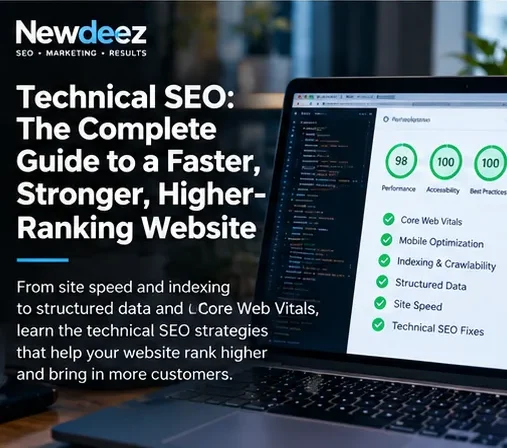
7. Check speed and Core Web Vitals
Compress media appropriately, control third-party scripts and review loading, interaction and layout stability. Use field data where available; a single lab score is not proof of real-world performance.
8. Validate analytics before launch
Test Search Console verification, analytics events, forms, call tracking and conversion destinations. Record the cutover date so later performance changes can be interpreted.
9. Perform launch-day checks
Crawl the live site, inspect priority URLs, confirm HTTPS, robots, sitemaps, redirects, canonicals, structured data and contact functionality. Submit updated sitemaps and monitor indexing rather than repeatedly requesting every URL manually.
10. Monitor the weeks after launch
Compare fixed sets of queries and pages, organic landing traffic, leads, crawl errors and redirect performance. Small fluctuations are normal; widespread disappearance of commercial pages demands immediate investigation.
Frequently asked questions
Will this guarantee number-one rankings?
No. Search results vary by competition, location, intent and search-engine decisions. The purpose is to improve relevance, technical health, authority and measurable business outcomes.
How quickly should results be evaluated?
Fixes can be validated immediately, while organic performance should be compared across consistent multi-week and multi-month periods. Avoid interpreting one-day fluctuations as trends.
What should be measured first?
Track the highest-value commercial pages and queries, qualified calls or forms, and any indexing or usability failures. Then expand measurement to supporting content.
Next steps
Newdeez helps businesses connect technical SEO, commercial content, local visibility and measurable growth. Explore the relevant service: Technical SEO services. Request a free competitive review to identify the highest-impact opportunities for your website.
