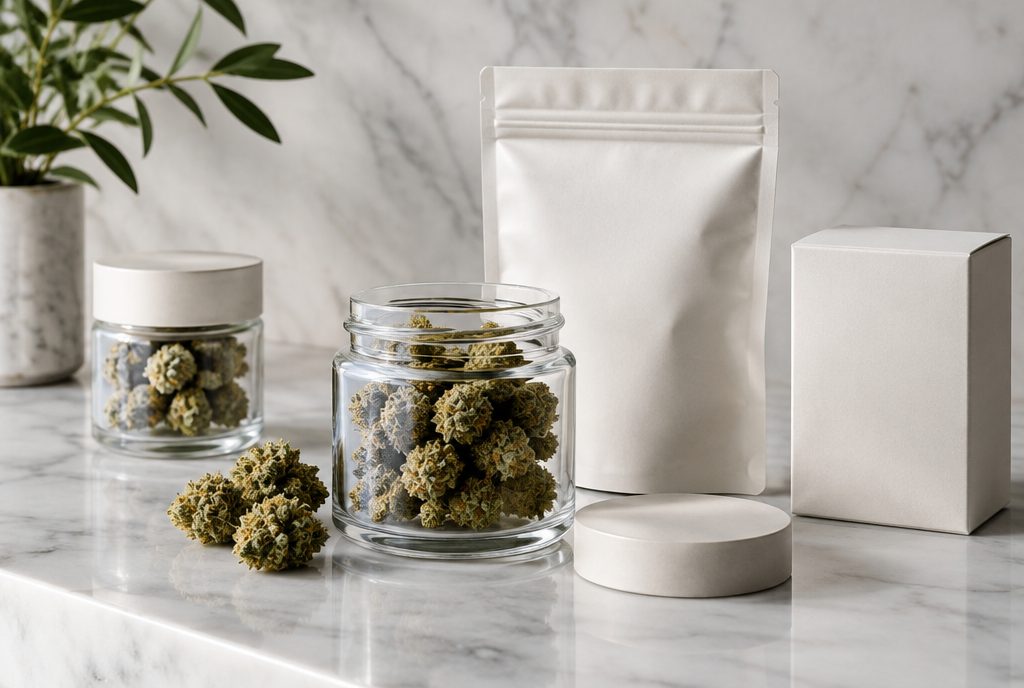
Cannabis brand page SEO means building pages that can rank when shoppers search for a specific brand, usually with a location attached, such as “[brand] near me” or “[brand] Los Angeles.” For a dispensary, that means one useful, original page for each brand you carry, linked to the products you actually stock. For a cannabis brand, it means a website that clearly owns its own name in search and helps people find where to buy. The common mistake on both sides is copying the same manufacturer text everyone else uses, which gives Google no reason to rank your page over anyone else’s.
- Brand searches often carry strong buying intent, and many dispensary websites have no real page to answer them.
- A brand page only earns rankings when it adds something original: what you carry, how your customers use it, and how to get it from your store.
- Brand pages work best as hubs that link down to live product pages and across to related categories and locations.
Why brand searches matter for dispensaries and brands
A large share of cannabis shoppers already know what they want. They have a favorite vape cartridge, a pre-roll brand a friend recommended or an edible they saw on social media. When they search, they type the brand name, often with “near me,” a neighborhood or a city. That is a shopper who is close to buying and is mainly deciding where to buy.
For a dispensary, ranking for those searches puts your store in front of someone who has already chosen the product. For a brand, owning your own name in search protects you from resellers, marketplaces and outdated pages answering questions about your products for you.
Brand pages also support the rest of your cannabis SEO strategy. They give Google a clear, crawlable structure (store, brand, category, product) and they create natural places to link to product pages that might otherwise be buried inside an embedded menu.
The duplicate content problem with manufacturer copy
Most dispensaries build brand pages the fast way. They paste the brand’s “About” text from its website or wholesale sheet, add a logo and call it done. The problem is that dozens of other retailers in your state did the same thing, often word for word, and the brand’s own site published it first.
When many pages carry the same text, Google generally picks one version to show and filters the rest. Your page is unlikely to be that version. Google’s guidance on scraped content is also clear that republishing other people’s text without adding original value is not something it wants to reward.
The same applies to product descriptions. If your menu provider pulls in manufacturer descriptions for every SKU, those pages look identical to every other dispensary using the same feed. That is fine as a starting point for shoppers browsing the menu, but it will not win search visibility on its own. Our guide to dispensary menu SEO covers how to handle product pages inside hosted and embedded menus.
What original content looks like on a brand page
- Your selection. Which product lines, formats and strains from this brand you actually stock, and which ones sell well at your location.
- Staff knowledge. What your budtenders tell customers who ask about this brand, in your own words, kept within your state’s rules on product claims.
- Comparisons. How this brand’s products differ from similar brands on your shelf, such as price tier, potency range or format.
- Local details. Whether it is available for pickup or delivery from your store, and which neighborhoods you serve.
- Freshness. New drops, limited releases and restocks, updated when they happen.
How to structure a dispensary brand page
A strong brand page answers the shopper’s question in the first few lines: yes, this store carries the brand, here is what is in stock and here is how to order. Everything else supports that.
- A clear title and H1. For example, “[Brand] at [Dispensary Name], West Hollywood.” Use the brand name the way shoppers spell it.
- A short intro in your own words. Two or three sentences about the brand and why you carry it.
- In-stock products. Links or a filtered menu view showing the brand’s products currently available. If the menu is embedded, add plain HTML links to key product or category pages so they are crawlable.
- Original notes. Staff picks, popular formats and how this brand compares to others on your shelf.
- Pickup and delivery details. Hours, location and service area, with a link to your location page.
- A short FAQ. Real questions customers ask about the brand at your counter.
- Related links. Similar brands, the product categories this brand fits into and relevant guides.
Do not build pages for brands you do not carry. A page that ranks for a brand but has nothing in stock frustrates shoppers and sends the wrong signals. If you stop carrying a brand, either redirect the page to the closest relevant category or keep it live with a clear note and alternatives, depending on whether you expect it back.

Targeting brand plus city intent
Brand searches with a location attached are where dispensaries have the best chance to compete. A brand’s own website rarely tries to rank for “[brand] in Long Beach.” Marketplaces often do, which is why your page has to be more useful than a generic listing.
- Single location. One page per brand is usually enough. Mention your city and neighborhood naturally in the title, intro and pickup details.
- Multiple locations. If inventory differs by store, consider brand pages per location only where you have real, different information to show. Thin copies that only swap the city name tend to get filtered out.
- Google Business Profile. Your profile and your brand pages reinforce each other. The profile tells Google where you are and when you are open, and your website pages give it more context about what is on your shelves. Keep the website link on your profile pointing to a page that makes those brand pages easy to reach.
Many of the searches that matter here happen in the map results, so brand pages should sit alongside solid local work. Our dispensary SEO services combine both.
Not sure which brand pages to build first?
We will review your menu, your current pages and the brand searches in your area, then show you where the quickest opportunities are.
Get a free dispensary SEO review →Internal linking: connect brands to products
Brand pages are most useful as hubs. They should pass shoppers, and search engines, down to the products you sell and across to related parts of your site.
- Brand to product. Link from each brand page to its in-stock product or category pages.
- Product to brand. Every product page should link back to its brand page with the brand name as anchor text.
- Category to brand. Category pages, such as vapes or edibles, should link to the brands featured in that category.
- Brand to brand. Link to similar brands so shoppers who cannot find one item have a clear next option.
- Content to brand. Blog posts, buying guides and deal announcements should link to the relevant brand pages.
This structure also helps build topical authority, the idea that your site covers a subject thoroughly and in an organized way. We explain the concept in more detail in our guide to topical authority.
A note on menu platforms
Many dispensary menus load through JavaScript or an iframe from a third-party provider. Depending on the setup, Google may not see those product pages as part of your site. Brand pages written directly on your website give you indexable content you control, even when the live menu sits on another platform. If your current site makes this hard, it may be a sign the build itself needs work, which is something we handle through cannabis web design.
SEO for cannabis brands’ own websites
If you are a brand rather than a retailer, your goals are slightly different. You want your website to rank for your own name, your product lines and the questions people ask about them, and you want to send shoppers to retailers who carry you.
- Own your brand name. Make sure your homepage, product line pages and About page clearly use your brand name, and that your site is technically sound enough to be indexed properly.
- Write the descriptions once, well. You are the original source. Publish detailed, accurate product information on your own site first, then share it with retail partners.
- Build a store locator that can be crawled. Locator widgets are useful for shoppers but often invisible to search engines. Consider state or city pages that list where your products are sold, kept up to date.
- Give retailers something unique. Offer partners extra material, such as staff training notes or origin stories, so their pages are not identical to yours. That helps them rank for brand plus city searches and sends more sales your way.
- Earn mentions. Press coverage, industry features and retailer links tell Google your brand is real and notable. Our cannabis marketing services include this kind of outreach.
Keep compliance in view. States set their own rules on cannabis advertising, health claims and who content can be aimed at. Check your state’s rules before publishing product claims, and keep age-gating in place where it is required.
A practical plan to get started
- List the brands you carry and rank them by sales and by local search interest.
- Audit existing pages for copied manufacturer text, thin content and broken links to discontinued products.
- Write the top 10 to 20 brand pages first, using the structure above, with original notes from your team.
- Link every product to its brand and every brand page to its in-stock products.
- Set an update routine so new drops and discontinued lines are reflected on the page within days, not months.
- Measure the results in Google Search Console by checking impressions and clicks for brand-name queries over time.
We have built this kind of structure for licensed retailers such as The Vault Dispensary, where menu pages, brand content and local SEO needed to work together rather than in isolation.
Frequently asked questions
Do dispensaries need a separate page for every brand they carry?
Not necessarily. Start with the brands that sell the most and that people search for in your area. A smaller set of genuinely useful brand pages will usually do better than hundreds of thin pages with copied text.
Can I use the manufacturer’s product descriptions on my site?
You can use them as a starting point, but pages with the same text as many other sites rarely rank well. Add original information such as what you stock, how customers use it and how it compares to similar products.
Should a brand page include the city name?
Yes, where it is natural. Mention your city or neighborhood in the title, intro and pickup or delivery details. Avoid stuffing the city name into every sentence or creating near-identical pages for each nearby town.
What should I do when a brand is discontinued?
If you do not expect to carry it again, redirect the page to the closest relevant category or a similar brand. If it is temporarily out of stock, keep the page live with a clear note and suggested alternatives.
How can cannabis brands help retailers rank for their products?
Give retail partners accurate product data plus unique supporting material they can adapt, and keep a crawlable list of where products are sold on your own site. Original content on retailer pages helps them rank for brand and city searches.