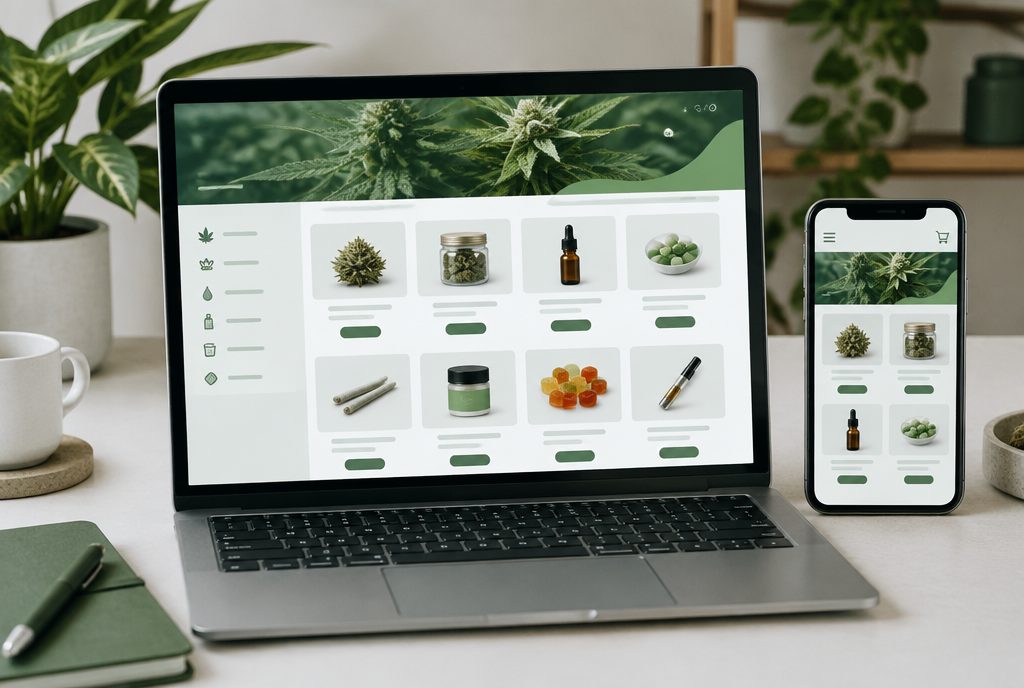
To get a dispensary menu indexed and ranking, Google needs to find real, crawlable URLs for your products and categories on your own domain, see the content without depending on an iframe or blocked scripts, and reach those pages through internal links and a sitemap. Many dispensary menus are embedded from a vendor, which means Google may treat the products as part of the vendor’s site, index only some of them, or miss them entirely. This guide explains why that happens, the setups that fix it, and how to check what Google actually sees.
- An embedded menu (iframe or vendor script) is fast to launch, but Google may index it partially or associate it with the vendor rather than your site.
- Proxied, headless or server-rendered menus put product and category pages on your domain, where they can build your site’s authority.
- Whatever your setup, build strong category pages you control, link to them internally, and confirm indexing in Google Search Console.
Why embedded menus often don’t rank as your own pages
Most dispensary e-commerce platforms give you a snippet of code to paste onto a “Shop” or “Menu” page. That snippet usually loads the menu inside an iframe or renders it with JavaScript from the vendor’s servers. It works well for customers, but it creates a few problems for search.
- The content lives at someone else’s URL. An iframe displays a separate web page inside yours. Google’s systems generally try to associate iframe content with the page that embeds it, but that is not guaranteed, and individual products may not get their own indexable URLs on your domain.
- Product URLs may be parameters or fragments. Some embedded menus change the address with query parameters or hash fragments as shoppers browse. Google largely ignores fragments, and parameter URLs can be consolidated or ignored if your canonical tag points elsewhere.
- Rendering takes extra work. Google can render JavaScript, but content that only appears after scripts run, or after an age gate is clicked, is easier to miss.
- Marketplace pages compete with you. If the same products also appear on a vendor marketplace, those pages can outrank your own site for your product and brand names.
None of this means an embedded menu is a mistake. Some vendors now add SEO features to their embeds, such as dynamic titles and menu sitemaps. It does mean you should know exactly how your menu is delivered before you expect it to rank.
The four common ways dispensary menus are delivered
Platform names and plan details change often, but most setups fall into one of these patterns. Your vendor’s documentation or account manager can tell you which one you are on.
1. Embedded menu (iframe or script)
The quickest option. You paste code onto your site and the vendor handles the menu. SEO depends heavily on what the vendor adds on top. For example, Dutchie’s help center describes its embedded menu as iframe-based and partially indexed, with an SEO setting and an XML sitemap you reference in your robots.txt file.
2. Subdomain storefront
The vendor hosts a full storefront at an address like shop.yourdispensary.com. Product pages get their own URLs and can be indexed, but a subdomain builds its signals somewhat separately from your main site, so your blog and location pages do less to support it.
3. Proxied menu on your main domain
A reverse proxy serves the vendor’s storefront under a folder on your own domain, such as yourdispensary.com/menu/. To search engines, the products look like part of your site. Some platforms offer this on specific plans, and it usually needs DNS or CDN configuration.
4. Headless or API build
Your developers build the storefront and pull live product, pricing and inventory data from the platform’s API. You control URLs, templates, rendering and schema. It is the most flexible option and also the most work to build and maintain.

Build category and landing pages you control
Even if your product pages sit inside an embed, you can still rank for the searches that matter most. Shoppers rarely search for a single SKU. They search for categories, brands and intent: “edibles near me”, “pre-rolls in Long Beach”, “dispensary with delivery”. Those searches are won by strong, server-rendered pages on your domain.
- Category pages. One page each for flower, pre-rolls, vapes, edibles, concentrates, tinctures and topicals, with original copy about what you carry, how to choose, and what makes your selection different. Embed or link to the filtered menu from each page.
- Brand pages. If you carry well-known brands, a short page per brand gives you a place to rank for “[brand] near me” searches.
- Location pages. For multi-store operators, each store needs its own page with address, hours, parking, services and a link to that store’s menu.
- Deals page. Keep one permanent URL for deals and update the content, rather than creating new URLs every week.
These pages are where your content strategy and your menu meet. They also help you build the kind of topical authority that makes the whole site easier to rank. Our dispensary SEO services usually start by mapping these pages before touching anything else.
Use internal linking to point Google at your menu
Google discovers and prioritizes pages through links. If your menu is only reachable through a single “Shop” button, it will be crawled less often and treated as less important.
- Link to every main category from your top navigation and footer.
- Add breadcrumbs on category, brand and product pages so the hierarchy is clear.
- Link from blog posts and strain guides to the relevant category or product with descriptive anchor text, such as “shop our live resin vapes” instead of “click here”.
- Link from each location page to that store’s menu, and from the menu back to the location page.
- Make sure links are standard HTML anchor tags with real URLs, not buttons that only work through JavaScript.
If your menu runs on a subdomain or separate platform, these links matter even more because they are the main bridge between your content and your products.
Not sure what Google can see on your menu?
We will check how your menu is delivered, which product and category pages are indexed, and what is holding the rest back.
Get a free dispensary SEO review →Add Product schema where it fits
Structured data helps search engines understand what a page is about. For menu pages that live on your domain, Product markup with an Offer (price, currency and availability) can describe each item clearly. Google documents the supported properties in its product structured data guide.
A few practical rules:
- Only mark up what shoppers can see on the page. If prices or availability are hidden behind an age gate or not shown, do not include them in the markup.
- Keep price and availability in sync with your POS. Stale markup is worse than none.
- Prefer markup in the initial HTML. Google notes that JavaScript-generated product markup can be crawled less reliably for fast-changing data like price and stock.
- Use LocalBusiness or Store markup on location pages, with name, address, phone and hours that match your Google Business Profile.
Rich results are never guaranteed. Treat schema as a way to remove ambiguity, not as a ranking shortcut. If your menu is an iframe from a vendor, the vendor controls any markup inside it, so ask what they output.
How to check whether your menu is indexed
Do not guess. Google Search Console shows you exactly what is happening.
- Pages report. Under Indexing, open Pages and review indexed URLs. Look for your product and category URLs, including any vendor-specific URL pattern your platform uses.
- URL Inspection. Inspect a menu page and run a live test. Check the rendered HTML and screenshot. If the products are missing, Google is not seeing them.
- Performance report. Filter by page to see whether menu URLs are earning impressions and clicks.
- Robots and canonicals. Confirm robots.txt is not blocking the menu, there is no stray noindex tag, and canonical tags are not pointing every menu URL back to one page.
- Age gate. Make sure your age verification overlay does not hide content from Googlebot or redirect it away. Google should see the same content a verified visitor sees.
- Sitemaps. Submit your site sitemap, and add any menu sitemap your vendor provides using the method it documents.
Our technical SEO audits for dispensaries run these checks across every location and menu, because a single misplaced canonical or blocked script can hide hundreds of products.
When it makes sense to change your menu setup
Switching menu platforms or integration types is a business decision, not just an SEO one. Your POS, compliance workflow, loyalty program and budget all matter. Consider a change when:
- Google Search Console shows few or none of your products indexed after you have fixed the basics.
- Competitors with proxied or headless menus consistently outrank you for category and brand searches.
- You are rebuilding your website anyway. A redesign is the right time to plan URLs, redirects and menu integration together, which is a core part of our cannabis web design work.
- Your vendor is retiring a product you rely on and you need a migration path.
If you do switch, map every old menu URL that has traffic or links to its new equivalent and set up 301 redirects before launch. For the bigger picture of how menus fit with local search, reviews and content, see our complete dispensary SEO guide.
Frequently asked questions
Does Google index dispensary menus embedded with an iframe?
Sometimes. Google generally tries to associate iframe content with the page that embeds it, but it is not guaranteed and individual products may not get their own URLs on your domain. Some menu vendors add SEO features to their embeds, so check your vendor’s documentation and Google Search Console.
Is a subdomain menu better than an embedded menu for SEO?
A subdomain storefront usually gives each product its own indexable URL, which is an improvement over many embeds. The trade-off is that a subdomain builds its signals somewhat separately from your main site, so a proxied or headless setup on your main domain is often stronger.
What is a headless dispensary menu?
A headless menu is a storefront your developers build on your own website while pulling live product, price and inventory data from the menu platform’s API. You control the URLs, page templates and schema, but you also take on the build and maintenance work.
Should I add Product schema to my dispensary menu?
Add Product markup only to pages on your domain where the product, price and availability are visible to shoppers, and keep it in sync with your POS. If your menu is embedded from a vendor, the vendor controls the markup inside it.
How do I know if my menu pages are indexed?
Use Google Search Console. Check the Pages report for your menu URLs, run a live URL Inspection to see the rendered page, and filter the Performance report by page to see whether menu URLs earn impressions and clicks.