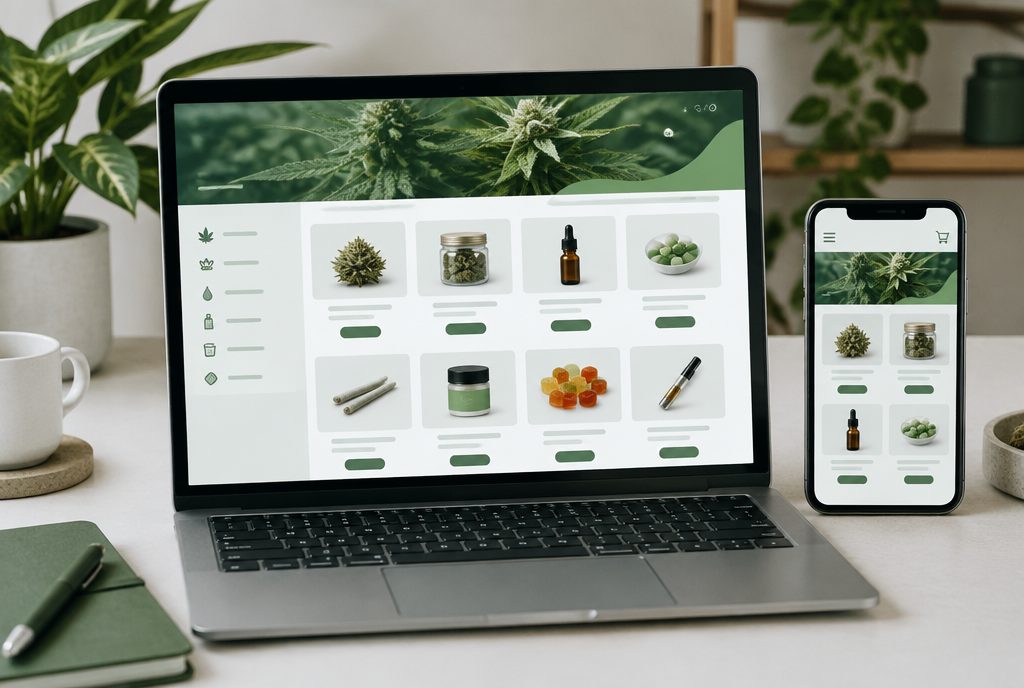
Dutchie SEO comes down to how your Dutchie menu is connected to your website. Dutchie’s own help center lists four setups: an embedded menu that loads in an iframe, a storefront on a subdomain, E-Commerce Pro with a proxy that makes the menu appear on your root domain, and Dutchie Plus (often written Dutchie+), its API option for fully custom sites. Each one gives Google a different view of your products. This guide explains the differences, the Dutchie settings worth checking, and the work on your own site that still decides whether you rank.
- Dutchie’s embedded menu is iframe-based and, per Dutchie, partially indexed. Turning on its SEO setting and adding its menu sitemap to robots.txt helps.
- E-Commerce Pro with a proxy and custom API builds put menu pages on your own domain, which gives you more control over SEO.
- Dutchie has said it will support Dutchie Plus customers through the end of 2026, so custom Plus sites should plan their migration and redirects now.
How Dutchie menus are typically implemented
Most dispensaries on Dutchie use one of the setups below. Features and availability depend on your plan, so confirm with your Dutchie account team which one you have.
Embedded menu
The most common setup. You generate an embed script in the Dutchie E-Commerce admin and paste it onto a page of your website. Dutchie’s documentation describes this as “one line of code, using an iframe.” It is quick to launch, and Dutchie notes it is not recommended for sites built on Wix or GoDaddy website builders, which should use the subdomain menu or Dutchie Plus instead.
Subdomain storefront
Dutchie hosts the menu on a subdomain such as store.yourdispensary.com instead of an iframe. Dutchie says this menu is fully indexed by Google, but it also points out that subdomains are treated as separate sites, so the storefront does not benefit as directly from your main site’s content and links.
E-Commerce Pro with proxy
E-Commerce Pro is Dutchie’s managed storefront product, which Dutchie positioned in 2025 as the way forward for custom e-commerce. Dutchie describes “E-Commerce Pro + Proxy” as a configuration that makes your Dutchie storefront menu appear as part of your root domain to search engines. Dutchie lists menu page indexing, the ability to add content to category and brand pages, and custom page titles and meta descriptions among its SEO features. Setup is handled during onboarding when you upgrade.
Dutchie Plus
Dutchie Plus is a set of GraphQL APIs that lets developers build a completely custom shopping experience. Because the site is yours, you control every part of the SEO. In August 2025 Dutchie announced E-Commerce Pro as the path forward and said it would support Plus customers through the end of 2026. If your site runs on Plus, talk to your Dutchie customer success manager about timing now.
What each setup means for SEO
Here is the practical difference between the options from a search point of view.
- Embedded menu. Fastest to launch and maintain. Google can index some menu pages, but you have limited control. Dutchie states it does not explicitly support manual editing of title tags, meta descriptions and headings on the embed. Your own category and content pages carry most of the ranking load.
- Subdomain storefront. Every product can be indexed, but you are effectively building SEO for a second site. Strong internal links from your main domain are essential.
- E-Commerce Pro with proxy. Menu pages appear under your main domain, and you get editable titles, descriptions and content areas on key pages. This is usually the best balance of control and effort for single stores and small groups.
- Custom API build. Maximum control over URLs, rendering, schema and content. It also requires a development team, hosting and ongoing maintenance, and Plus builds now have a migration deadline to plan around.
There is no single right answer. A single-location shop with a small team may do very well with an embedded menu plus excellent category pages. A multi-state operator may need the control of a proxied or custom storefront. Our dispensary SEO team starts by looking at what you have, what your competitors use, and what your budget supports.

Getting more out of the Dutchie embedded menu
If you are on the embedded menu, these steps come straight from Dutchie’s SEO documentation and are worth checking first.
- Turn on the SEO toggle. In Dutchie Admin, go to Settings, then SEO, and make sure SEO is enabled. Dutchie says this makes iframe content visible to Google, updates the title tag and meta description dynamically, and sets the canonical URL.
- Add the menu sitemap to robots.txt. Dutchie generates an XML sitemap for your menu, but it is hosted on dutchie.com, not your domain. Dutchie’s instructions are to copy the Sitemap line from Settings, then SEO, and add it as a new line in your site’s robots.txt file. Dutchie notes you cannot submit this sitemap through Search Console or Bing Webmaster Tools.
- Check the canonical tag on your menu page. Dutchie reports that some sites saw more menu pages indexed after removing the rel=canonical tag from the page where the menu is embedded. The reason is simple: menu URLs often add parameters to that page’s address, and a canonical pointing back to the plain page tells Google those variations are duplicates. Make this change carefully, on the menu page only, ideally with a developer.
- Fix the age gate. Dutchie lists age gates as a common reason menus fail to index. Your age verification should not hide content from Googlebot or redirect it.
- Look for robots blocks. Make sure robots.txt, meta robots tags and X-Robots-Tag headers are not blocking the menu page.
- Show Google the same page users see. Dutchie warns that sites which serve Googlebot different content, intentionally or by mistake, can stop the menu from being indexed.
Many WordPress SEO plugins add a canonical tag automatically. If you are not sure how to change it on a single page, our technical SEO team can handle it without affecting the rest of the site.
Running your menu on Dutchie?
We will check your Dutchie setup, see how many menu pages Google has indexed, and give you a prioritized list of fixes.
Get a free dispensary SEO review →How to check whether Google is indexing your Dutchie menu
Dutchie’s embedded menu pages use URLs that contain the string “dtche”. That makes them easy to track in Google Search Console.
- Indexing. Go to Indexing, then Pages, then view data about indexed pages. If you see URLs containing “dtche”, Google is indexing pages from your embedded menu.
- Search visibility. In Performance, then Search results, add a Page filter for URLs containing “dtche” to see impressions and clicks for menu pages.
- Revenue. In GA4, open the Landing page report, filter to google / organic sessions and search for “dtche” to see conversions from organic visits that landed on menu pages, as Dutchie’s help center describes.
For subdomain, proxied or custom storefronts, use the normal checks: the Pages report, URL Inspection with a live test, and the Performance report filtered by your menu folder or subdomain. We cover these in more detail in our guide to dispensary menu SEO.
Best practices that matter on any Dutchie setup
Dutchie controls a lot of the menu, but most of what makes a dispensary rank still lives on your website.
- Category pages with real content. Build pages for flower, pre-rolls, vapes, edibles and concentrates with original copy, then link or embed the matching menu view. On E-Commerce Pro, use the content areas Dutchie offers on category and brand pages.
- Location pages. Each store should have its own page with name, address, phone, hours and a direct link to that store’s menu, consistent with your Google Business Profile.
- Internal links. Link to the menu and key categories from navigation, the footer, blog posts and location pages using descriptive anchor text.
- Compliance-safe copy. Keep product and category descriptions factual and avoid health claims. Check your state’s advertising rules before publishing.
- Page speed. Embeds and third-party scripts add weight. Keep the rest of the page light so the menu page still loads quickly on mobile.
For how these pieces fit with reviews, local search and content, see our complete dispensary SEO guide.
Planning a Dutchie Plus migration without losing rankings
If your custom site runs on Dutchie Plus, the move to a new setup is an SEO project as much as a technical one. Product and category URLs that rank today can disappear if the new storefront uses different addresses.
- Export every URL that gets organic traffic or has backlinks, using Search Console and your analytics.
- Confirm with Dutchie which setup you are moving to and what URL structure it will use.
- Map old URLs to their closest new equivalents and set up 301 redirects before launch.
- Carry over titles, descriptions and on-page content for your most important categories.
- After launch, monitor the Pages report and fix any spike in “not found” or “excluded” URLs.
If the migration is also a chance to rebuild your site, our cannabis web design and web development teams can plan the URLs, menu integration and redirects together so you are not fixing SEO after the fact.
Frequently asked questions
Is the Dutchie embedded menu good for SEO?
It can help. Dutchie says its embedded menu is partially indexed and includes an SEO setting plus a menu sitemap. You get less control than with a proxied or custom storefront, so your own category and location pages do most of the ranking work.
How do I submit my Dutchie menu sitemap?
Copy the Sitemap line from Settings, then SEO, in Dutchie Admin and add it as a new line in your website’s robots.txt file. Dutchie notes the sitemap is hosted on dutchie.com, so it cannot be submitted through Search Console.
What is Dutchie E-Commerce Pro with proxy?
It is a Dutchie E-Commerce Pro configuration that makes your Dutchie storefront menu appear as part of your root domain to search engines. Dutchie lists menu page indexing, editable titles and descriptions, and content on category and brand pages among its SEO features.
Is Dutchie Plus going away?
In August 2025 Dutchie announced E-Commerce Pro as its path forward and said it would support Dutchie Plus customers through the end of 2026. Plus customers should confirm timing and migration options with their Dutchie account team.
How can I tell if Google indexed my Dutchie menu?
In Google Search Console, open Indexing, then Pages, and look for indexed URLs containing dtche. You can also filter the Performance report by pages containing dtche to see impressions and clicks.