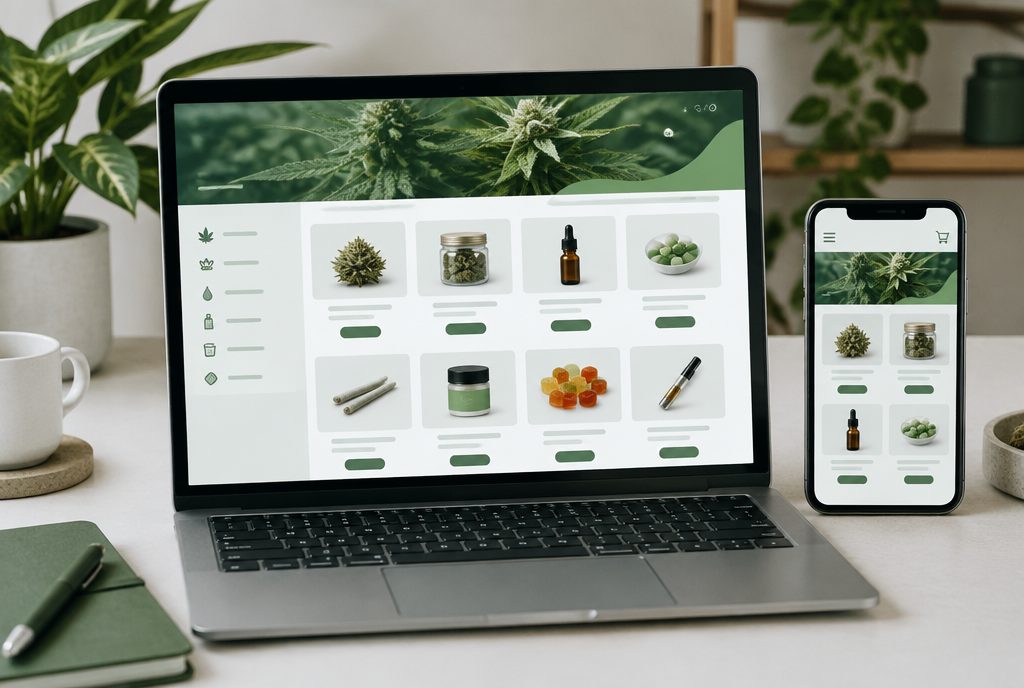
Getting more SEO value from a Jane menu starts with knowing which Jane setup you use. Jane’s traditional integration is an embed script that renders your storefront, including the menu and checkout, inside an iframe on your site. Jane also sells Ecommerce Premium, a customizable storefront it says uses server-side rendering to help search engines index your menu, and a headless option, documented as Jane Roots, for teams that want to build their own storefront on Jane’s APIs. This guide explains what each means for search and what you should do on your own website either way.
- Jane’s standard embed loads the whole shopping flow in an iframe, so your own category and location pages do most of the ranking work.
- Jane Ecommerce Premium and headless builds give you more control over how menu pages are rendered and indexed. Exact features depend on your plan.
- Whatever the setup, unique content, clean internal links and a crawl-friendly age gate decide how much search traffic your menu earns.
How Jane menus are delivered today
Jane (Jane Technologies, the company behind iHeartJane) currently presents its online ordering as three tiers. Names and features change, so confirm the details for your account with your Jane partner success manager.
Ecommerce Standard: the embedded menu
Jane describes Standard as an embedded menu with core customization, SEO enhancements and automated product content, designed to get you online quickly. Jane’s developer documentation explains that the traditional integration uses an embed script that renders the storefront in an iframe, with the menu and checkout both living inside that frame.
Ecommerce Premium: a customizable storefront
Jane positions Premium as everything in Standard plus a fully custom, on-brand storefront, multi-location navigation, richer merchandising and AI-powered recommendations. Jane says Premium is built so non-technical teams can customize it without code, and that server-side rendering reduces load times and helps search engines index the full menu.
Headless: Jane Roots
For dispensaries with developers, Jane offers a headless option. Its documentation, which calls this Jane Roots, describes building a completely custom menu and checkout that connect to Jane through APIs, including cart and checkout endpoints and product search indices. Jane is clear that this route needs an internal engineering team or experienced contract developers.
What each Jane setup means for SEO
- Standard embed. Quick to launch and low maintenance. Because the menu runs in an iframe, Google may associate some menu content with your page, but you have limited control over product URLs, titles and markup. Your own pages need to carry the ranking load.
- Premium. A server-rendered storefront gives Google a much clearer view of products and categories. Ask Jane which domain or path your Premium storefront will use, which SEO fields you can edit, and how URLs are structured, because those details decide how well it supports your main site.
- Headless. You control URLs, templates, rendering, schema and content. You also own the build, hosting and maintenance, so SEO quality depends on your development team doing it well.
Jane also runs a consumer marketplace on iheartjane.com where shoppers can browse products, brands and dispensaries. Visibility there is separate from your website’s SEO. It can bring orders, but marketplace pages can also compete with your own site in Google for your store and product names, which is one more reason to build strong pages on your domain.

Getting more from the embedded Jane menu
If you are on the embedded menu, you can still compete well for category and local searches. Focus on the parts of the site you control.
- Give the menu page real content. A page that holds nothing but an embed script gives Google very little to work with. Add a short introduction, your store details, popular categories and links to category pages above or below the embed.
- Build category pages on your domain. Create pages for flower, pre-rolls, vapes, edibles and concentrates with original copy, and link each one to the matching filtered view of your Jane menu.
- Check your age gate. Make sure age verification does not block or redirect Googlebot. Google should see the same content a verified visitor sees.
- Review robots and canonicals. Confirm the menu page is not blocked in robots.txt and has no stray noindex tag.
- Watch page speed. The embed adds scripts. Keep the rest of the page lean so it still loads quickly on mobile.
Our guide to dispensary menu SEO covers the general checks in more depth, and the same principles apply to any embedded menu.
Making your product content stand out
Jane’s catalog and automated product content save your team a lot of data entry, with brand imagery and standardized product details. The SEO catch is that brand-supplied or catalog descriptions can appear on many other retailers’ menus too. When the same text exists on dozens of sites, there is little reason for Google to rank yours first.
- Add your own copy to category pages, brand pages and featured products. Mention what your budtenders recommend, how products are used and what makes your selection different.
- Write short, factual staff notes for best sellers if your setup allows custom content.
- Keep wording compliance-safe. Describe flavor, format, potency as labeled and the experience customers report in general terms, and avoid claims that a product treats or cures anything. Check your state’s advertising rules.
On Premium or headless storefronts, use whatever title, description and content fields are available on category and brand pages. Those pages are usually your best chance to rank for “[category] near me” searches.
Using Jane for online ordering?
We will review how your Jane menu is connected, what Google is indexing, and which pages on your site should be doing more of the work.
Get a free dispensary SEO review →Local SEO and internal linking around your Jane menu
Most dispensary searches are local. Your menu converts shoppers, but your location pages and Google Business Profile usually bring them in.
- One page per store. Each location needs its own page with name, address, phone number, hours, services and a direct link to that store’s Jane menu. Keep details consistent with your Google Business Profile.
- Link the menu from your profile. Use your Google Business Profile links to send searchers to the right store’s menu or location page.
- Connect content to products. Link from blog posts, strain guides and FAQs to the matching category page using descriptive anchor text.
- Navigation and footer. Put key categories and locations in standard HTML links so Google can crawl them.
Our Google Business Profile optimization work and dispensary SEO services focus on exactly this connection between local visibility and the menu.
When to consider Premium or a headless build
Upgrading is a business decision as well as an SEO one. It is worth a conversation with Jane and your web team when:
- Search Console shows that very few of your menu pages are indexed, and the basics are already fixed.
- Competitors with server-rendered storefronts consistently outrank you for category and brand searches.
- You operate multiple stores and need cleaner multi-location navigation.
- You are redesigning your website and can plan URLs, redirects and the menu integration together.
A headless build makes the most sense when you have, or can hire, developers who will maintain it long term. Our cannabis web design team can help you weigh that against Premium. For the full picture of reviews, local search and content, see our complete dispensary SEO guide.
How to measure SEO results from your Jane menu
Track the whole path from search to order, not just rankings.
- Search Console. Use the Pages report and URL Inspection to see which menu, category and location URLs are indexed, and the Performance report to see which ones earn impressions and clicks.
- Analytics. Review organic landing pages in GA4 and confirm that menu interactions and orders are tracked. Ask Jane which analytics and tracking integrations your plan supports.
- Local metrics. Watch calls, direction requests and website clicks from your Google Business Profile for each store.
Review these monthly. Movement in category page traffic is often the earliest sign your SEO work is paying off.
Frequently asked questions
Is the iHeartJane embedded menu good for SEO?
It is quick to launch, but Jane’s traditional embed renders the storefront inside an iframe, which limits your control over product URLs and markup. Most of your ranking power will come from your own category, brand and location pages.
What is Jane Roots?
Jane Roots is the name Jane’s developer documentation uses for its headless e-commerce option. It lets developers build a fully custom menu and checkout that connect to Jane through APIs, and it requires an engineering team or experienced contract developers.
Does Jane Ecommerce Premium help SEO?
Jane says Premium uses server-side rendering that reduces load times and helps search engines index your full menu. Confirm with Jane which domain, URL structure and editable SEO fields your Premium storefront will use.
Does my listing on iheartjane.com help my website rank?
Not directly. Your listing on Jane’s marketplace is separate from your own website. It can bring orders, but marketplace pages can also compete with your site for your store and product names.
Should I write my own product descriptions on Jane?
Where your setup allows it, yes. Catalog and brand descriptions often appear on many retailers’ menus, so adding original, compliance-safe copy to category pages and best sellers gives Google a reason to rank your pages.